
Broken iPhone Charging Port? Diagnose Before Visiting a Technician
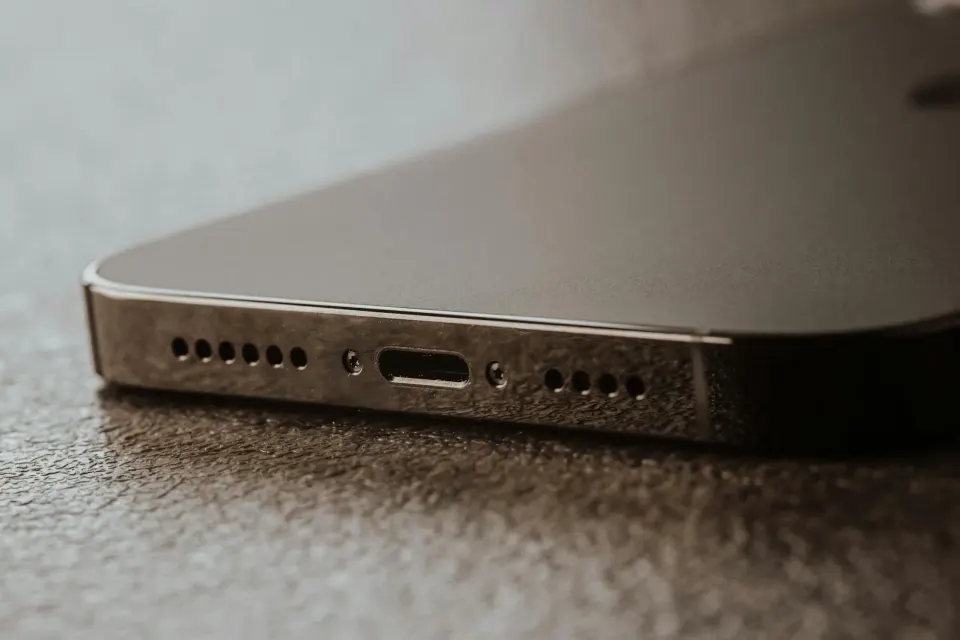
Panic strikes when your beloved iPhone refuses to charge upon connecting a Lightning or USB-C cable. Before jumping to the conclusion that the internal hardware components are completely ruined and require a costly overhaul, it is wise to perform a self-diagnosis at home. Charging issues often stem from trivial matters that can be resolved without professional assistance.
As senior technicians who have handled thousands of Apple hardware repair cases at Platinum Service, we have put together this comprehensive guide to help you recognize early signs of damage, perform safe self-investigation, and understand when it is time to hand your device over to a transparent and trusted service laboratory in Malang or Surabaya.
1. Early Detection: Cables vs Adapters vs Ports
The first step in diagnosing a charging issue is isolating the faulty component. Often, your iPhone is in pristine condition, but the supporting accessories have suffered from functional degradation or internal wire breaks.
- Try Another Cable: Use an MFi-certified or original cable to ensure data lines and current flow remain uninterrupted.
- Swap the Wall Brick: Test the power adapter in a different wall outlet or use another charging brick with matching wattage specifications.
- Inspect Connectors: Check for any blackened or dirty pins at the tip of your charging cable.
2. Visual Inspection of Pocket Lint and Debris
Pockets, bags, and daily dust are the primary enemies of Lightning and USB-C ports. Every time you plug in a cable, fabric fibers from your pocket get pushed to the bottom of the port and accumulate densely over time, forming a blockage that prevents connector pins from touching the cable terminals perfectly.
- Turn off your iPhone beforehand to prevent any short-circuit accidents.
- Use a bright flashlight to illuminate the interior of the charging port cavity.
- Observe whether there are grey or white fuzz clumps at the bottom.
- If debris is found, use an ultra-thin wooden toothpick or a blunt needle with extreme care to pull out those fabric fibers without bending the gold pins inside.
- The iPhone turns on but enters a continuous Apple logo bootloop when connected to a charger.
- The device is not detected at all by a Mac or Windows computer when connected via data cable.
- Battery percentages jump wildly or get stuck at a specific number.
3. Port Damage Symptom Comparison Table
| Physical Symptom | Likely Primary Cause | Recommended Solution |
|---|---|---|
| Must be wobbled to charge | Dense debris at port bottom or worn pins | Professional cleaning / flex replacement |
| No response whatsoever | Broken cable, IC Tristar, or damaged port | Test other cable / check with technician |
| Intermittent charging | Loose cable, debris, or loose port | Clean or replace charging port |
Technician Tip: Never use water-based cleaning fluids, excess alcohol without specialized tools, or sharp metallic objects like sewing needles to clean an iPhone port. This action can trigger pin corrosion or cause permanent short-circuits on the main VCC power lines.
4. U2 Tristar IC Damage Indicators
If you have cleaned the port and tried various cables and chargers, yet your iPhone still refuses to charge or even drains its battery rapidly when connected to a computer, the issue might run deeper. Damage to the U2 Tristar IC or power management integrated circuit (PMIC) often shows specific symptoms resembling physical port failure.
5. When Should You Bring Your iPhone to a Service Lab?
If the self-diagnosis steps above yield no results, it is time to entrust your device to professional technicians equipped with precision measuring tools such as digital multimeters and repair microscopes. Avoid street technicians who perform reckless actions without standard antistatic safety procedures.
At Platinum Service Malang and Surabaya, we apply a transparent repair concept where the disassembly, cleaning, and component replacement processes are performed directly in front of you. No data is lost without your consent, and every repair action is explained in detail before work begins.
FAQ
Does cleaning the iPhone port yourself void the warranty?
Carefully cleaning external dust using a wooden toothpick does not void official warranty terms, but if you damage the physical pins inside using sharp objects, it is categorized as user-induced accidental damage.
How long does it take to replace an iPhone charging port?
At Platinum Service laboratories in Malang and Surabaya, replacing a charging port flex cable generally takes around 30 to 45 minutes and can be watched directly on-site.
Will my data be lost if the charging port is replaced?
No. Replacing the charging port module or connector flex does not touch the data storage area or NAND flash chip on the logic board, keeping your data completely safe.
Do not let charging issues hinder your daily productivity. Visit our physical branches at Ruko Soekarno Hatta Indah A17 Malang or Ruko Plasa Barata Jaya Blok A-8 Surabaya to receive transparent diagnostics and top-tier repair solutions from experienced technicians.
Found This Guide Helpful?
Share this article with a friend or bookmark it for later. We publish transparent research and tutorials freely without paywalls.
Need Hands-On Diagnostics from Our Technicians?
Transparent repair in front of you with upfront cost estimates at our Malang & Surabaya labs.